How to Choose an Outdoor Telecom Cabinet: A Practical Selection Guide
By Jergeo Engineering Team | Updated August 2026 · 11 min read
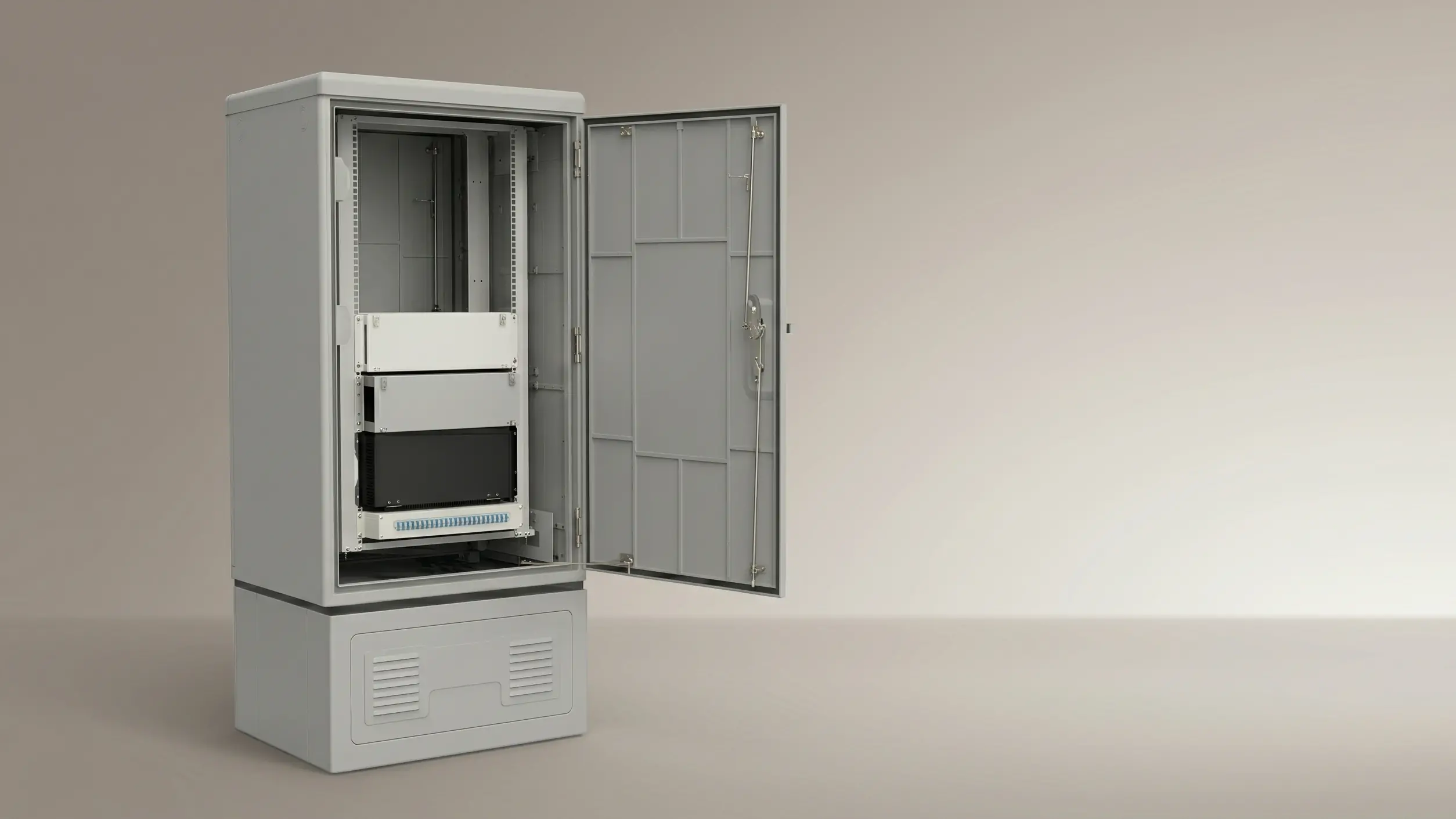
An outdoor telecom cabinet is not the same thing as a fiber distribution cabinet. We see this confusion all the time. A fiber distribution cabinet (FDC) holds passive fiber components — splice trays, adapter panels, PLC splitters. It doesn't need power or cooling. An outdoor telecom cabinet, on the other hand, houses active equipment — OLTs, ethernet switches, rectifiers, battery backup systems — the electronics that actually process and route your network traffic.
If your network has an OLT sitting outside a central office, chances are it's inside one of these cabinets. They show up in FTTH edge deployments, 5G base station sites, enterprise campus networks, and industrial IoT installations — anywhere you need to keep active electronics running in weather that ranges from -40°C to +55°C.
The challenge is picking the right one. Get the size wrong, and you'll have an OLT crammed against a rectifier with zero airflow. Get the thermal management wrong, and equipment cooks itself to death by the second summer. We've supplied outdoor telecom cabinets for deployments in over 30 countries — Southeast Asia FTTH rollouts, Middle East 5G sites, European enterprise networks — and we've seen what works and what doesn't.
Summary
Choosing an outdoor telecom cabinet comes down to five decisions: how much equipment you need to house (now and in 2 years), what IP rating your environment demands, how you'll manage heat, how cables enter and route inside, and whether you need OEM branding. The Jergeo JOC series (JOC-A at 16U/31U, JOC-B at 11U, JOC-C at 22U) covers the standard range with cold-rolled steel construction, IP55 protection, thermostatic ventilation, and 19-inch rack compatibility.
What an Outdoor Telecom Cabinet Actually Does
Think of it this way: in a fiber network, you've got passive components (fiber cables, splice closures, distribution cabinets) that just route light from point A to point B. Then you've got active equipment — OLTs, switches, routers, power systems — that actually process signals and need electricity to run.
The outdoor telecom cabinet is the weatherproof housing for that active equipment. It protects electronics from rain, dust, heat, and physical tampering while maintaining an internal environment that keeps sensitive circuit boards operational. Unlike an indoor server rack in a climate-controlled data center, this cabinet has to manage temperature swings of 95°C or more — from -40°C winter nights to +55°C summer days — and that's before you factor in the equipment's own heat output.
In a typical FTTH deployment, the outdoor telecom cabinet sits between the central office and the fiber distribution network. The OLT inside converts electrical signals to optical, and the downstream FDCs split and distribute the fiber to individual subscribers. Both are "outdoor cabinets" but they do completely different things.
Step 1: Figure Out How Much Room You Actually Need
The most common sizing mistake we see: ordering a cabinet that exactly fits today's equipment, with zero room for growth. Six months later, the customer adds a backup ONU or a second battery bank, and there's nowhere to put it.
Here's how we'd size it:
- List every piece of equipment you plan to install. Count each item's height in rack units (U): OLT (typically 1-4U), switch (1-2U), rectifier (2-4U), battery compartment (3-6U), patch panels (1-2U).
- Add up the total. Say your list comes to 8U.
- Add 25-30% headroom for future expansion and service access: 8U × 1.3 = 10.4U, round up to 11U.
Now, the Jergeo JOC series breaks down like this:
- JOC-B — 11U, dimensions 1200×650×700mm. Our most popular compact option. Fits tight spaces like roadside deployments or building rooftops. The 100mm bottom section keeps it low-profile.
- JOC-A — 16U or 31U, dimensions 1400×750×750mm (16U) or 1800×750×750mm (31U). The workhorse for FTTH node installations. The 200mm bottom section gives plenty of cable routing room.
- JOC-C — 22U, dimensions 1200×750×620mm (compact) or 1550×750×620mm (full). For larger aggregation points that need more rack space without going to the full 31U.
All three use standard 19-inch rack mounting, so any 19-inch equipment slides right in without custom brackets.
One thing we'd flag: don't assume the largest available cabinet is always the right call. A 31U cabinet sitting half-empty is wasted money and wasted footprint. In dense urban FTTH deployments where sidewalk space is expensive, the 11U JOC-B often makes more sense than the 31U JOC-A — you just need to plan the expansion path upfront.
Step 2: IP Rating — IP55 vs IP65 (The Difference Matters More Than You Think)
The JOC series ships with IP55 protection as standard. Here's what the numbers actually mean in the field:
The first digit (5) covers dust. IP5X means dust can get in, but not enough to interfere with equipment. IP6X means completely sealed. In most installations, this distinction doesn't matter — a little dust on a circuit board doesn't kill anything. But if you're deploying in a desert environment or a site near a cement plant, that difference becomes meaningful.
The second digit (5) covers water. Both IP55 and IP65 handle water jets from any direction. Rain won't kill either cabinet. The catch: in coastal areas with salt spray, or in industrial zones with chemical-laden rain, even small amounts of moisture ingress over years will corrode your rack mounting rails and cable glands.
Our recommendation: IP55 handles 80% of installations fine. Go IP65 if you're within 5km of a saltwater coastline, in a fine-dust desert, or if the cabinet sits where high-pressure washing happens nearby. The catch with IP65 is maintenance — sealed cabinets need their air filters cleaned more frequently, because the sealed design means less natural airflow. A dirty filter in an IP65 cabinet in July can push internal temperatures past what your equipment can handle.
Step 3: Thermal Management (This Is Where Deployments Succeed or Fail)
Here's something most spec sheets don't tell you: the working temperature range of -40°C to +55°C assumes the internal temperature stays within limits. But a metal cabinet sitting in direct sunlight with active equipment pumping out heat? The internal temperature can be 15-25°C above ambient.
We had a deployment in West Africa where the ambient temperature hit 42°C. The customer's OLT started dropping packets at 58°C internal. The cabinet's external sensor read 45°C — seemed fine. But the sensor was mounted near the air intake vent at the bottom. The actual equipment sat 40cm higher, in the upper rack position where heat pools. Internal temperature at the equipment level: 63°C. The OLT's thermal shutdown kicked in at 65°C.
The fix was simple: move the temperature sensor to the equipment's actual mounting height, and add a second exhaust fan. But it took three field visits to diagnose. The lesson: always place your temperature sensor at the height of your most heat-sensitive equipment, not at the cabinet's air intake.
How the JOC series handles thermal:
- Adjustable ventilation with thermostatic control — fans speed up as internal temperature rises
- Filter assemblies at air intake ports — clean or replace based on environment (every 2-3 months in dusty areas, every 6 months in clean ones)
- Optional air conditioning unit for extreme deployments — we'd recommend this when max ambient exceeds 45°C AND the cabinet sits in direct sun for most of the day
The standard fan-and-filter approach works for most climates. But if you're installing in a hot, sunny location with high-power equipment, the optional active cooling is worth the investment. A $200 air conditioning unit saves you from replacing a $2,000 OLT that cooked itself to death.
Step 4: Cable Entry and Internal Routing
This is where installation crews cut corners, and it comes back during maintenance.
The JOC-A and JOC-B both feature bottom-entry cable glands. Top entry is available as a customization. The key thing most people overlook: the cable entry section needs room for all your cable connectors plus bend radius. If you're feeding 20 cables through a gland plate designed for 8, something's going to break — or worse, a fiber gets bent past its minimum radius and starts showing excessive loss six months later.
The JOC-A's bottom section is 200mm deep — plenty of room for most configurations. The JOC-B's bottom is 100mm — tighter, but workable for up to about 12 cables. For the JOC-B with more than 15 cables, ask about the expanded cable entry configuration.
Our suggestion: before you install, count your cables, plan their entry direction (bottom or top), and note the minimum bend radius for each fiber type. Route power cables separately from signal cables inside the cabinet. Most installations don't need to worry about this — the standard configuration handles it. But if you're running 20+ cables, an expanded entry saves frustration during maintenance visits.
Step 5: Rack Standard and OEM Options
All JOC models use standard 19-inch rack mounting. This means any 19-inch equipment — servers, switches, patch panels, cable management rings — fits without custom adapters. The rack rails are adjustable in depth, so you can accommodate equipment from 200mm to 600mm deep.
On color: both models ship in RAL 7035 (light gray) as standard. For volume orders (50+ units), we can match custom colors to your corporate standard. Some operators in Europe require green or dark gray to blend with the surroundings — it's a simple paint change at no extra tooling cost.
On OEM: we offer OEM branding including custom labels, nameplates, and documentation packages. Even for single-unit orders, we can add your company branding on the cabinet nameplate.
What We've Learned from 30+ Countries
We've shipped JOC cabinets to deployments across Southeast Asia, the Middle East, Europe, Africa, and Latin America. The patterns are consistent. The cabinets that perform best over 10-15 years are the ones where the installer took time to plan cable routing and thermal management on day one.
The ones that struggle? Almost always the installations that got rushed — cables crammed through undersized gland plates, no drip loops on cable entry, filters never cleaned, temperature sensor in the wrong position. The hardware is rated for 20 years. The installation quality determines whether you get 20 years or 5.
Here's what we'd suggest for your next deployment: before you order, map out the cabinet location, expected internal temperature (equipment heat + solar gain), cable count and entry direction, and expansion plan for the next 2-3 years. With those four data points, selecting the right outdoor telecom cabinet configuration becomes straightforward.
Routine Maintenance — What to Check and When
Outdoor telecom cabinets don't need much maintenance, but they do need some:
- Door seals and gaskets — inspect every 6-12 months. If the rubber is hard, cracked, or compressed flat, replace it. A bad seal lets in dust and moisture that will corrode your rack rails.
- Air filters — clean or replace every 2-3 months in dusty environments, every 6 months in clean ones. A clogged filter is the #1 cause of overheating in outdoor cabinets.
- Thermostatic fans — rated for 50,000+ hours. Check that they spin freely and respond to temperature changes. If a fan seizes, internal temperature can spike within hours on a hot day.
- Cable entry glands — verify all unused ports remain plugged and active glands are tight. Water follows cable jackets downhill into the cabinet if the seal isn't seated properly.
Related Products
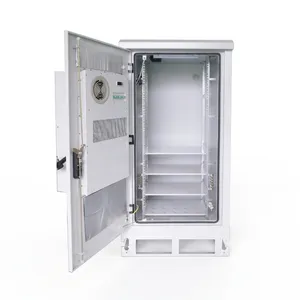
JOC-A Outdoor Telecom Cabinet
16U/31U capacity — cold-rolled steel, IP55, thermostatic ventilation for FTTH node and 5G deployments
View Product →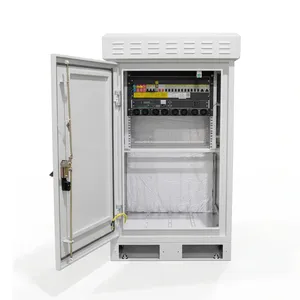
JOC-B Outdoor Telecom Cabinet
11U compact design — ideal for space-constrained roadside and rooftop deployments
View Product →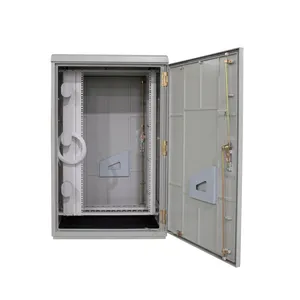
JOC-C Outdoor Telecom Cabinet
22U capacity — for larger aggregation points needing expanded rack space
View Product →Related Articles
Fiber Distribution Cabinet Buying Guide
Capacity planning, material selection, and IP rating explained for FDC procurement — the passive side of the outdoor cabinet equation.
Read Article →
Fiber Cabinet Materials: SMC vs Steel vs ABS
Weight, IP rating, UV resistance, and cost comparison for outdoor cabinet enclosure materials.
Read Article →
Outdoor Fiber Termination Box Guide
Capacity, IP rating, and mounting options for the last-mile fiber termination enclosure.
Read Article →References
- IEC 60529 — Degrees of protection provided by enclosures (IP Code)
- ETSI EN 300 119 — Environmental conditions for equipment enclosures
- FOA Reference Guide to OSP Installation — Outside plant installation practices including equipment enclosure requirements
Key takeaway
The outdoor telecom cabinet is the unprotected frontier of your network — everything inside it is exposed to weather, heat, and time. Size it for where you'll be in 3 years, not where you are today. Put the temperature sensor where your most sensitive equipment actually sits, not where it's convenient. Clean the filters. It's not glamorous, but it's the difference between 20 years of reliable service and a 3-year replacement cycle.
Related products