Fiber Distribution Box Guide: How to Choose the Right Size, Material & Configuration
By Jergeo Engineering Team | Updated August 2026 · 10 min read
A fiber distribution box is where the network stops being infrastructure and starts being someone's internet connection. It sits between the feeder cable coming from the central office and the drop cable running to the subscriber's wall outlet. Small enough to mount on a pole or a building wall. Large enough to split one fiber into 16, 32, or even 64 individual connections.
We have shipped these to deployments in over 30 countries — from tropical coastal cities to sub-zero mountain villages. And we have learned that the mistakes people make with fiber distribution boxes are almost never about the product specs. They are about picking the wrong size for the actual subscriber count, or choosing a material that does not match the climate, or sealing the box wrong in the field.
This guide walks through how we think about fiber distribution box selection at Jergeo, based on what we have actually seen work (and what we have seen fail).
Summary
Fiber distribution box selection comes down to five decisions: capacity (how many subscribers), material (SMC for outdoor, ABS for indoor, PC+ABS for either), mounting method (wall vs. pole), splitter configuration (pre-terminated vs. bare), and IP rating (IP65 minimum for outdoor). Most field problems trace back to getting capacity or material wrong — not to product defects.

Where the Fiber Distribution Box Sits in the Network
Before picking a box, it helps to know exactly where it goes. In a typical FTTH architecture, fiber runs from the OLT at the central office through feeder cables to a distribution point. That distribution point is either a fiber distribution cabinet (FDC) for larger aggregation, or a fiber distribution box (FDB) for smaller, closer-to-subscriber splits.
The FDB then connects to individual drop cables — the thin fibers that run to each subscriber's ONT (optical network terminal). Inside the box, the incoming fiber passes through a PLC splitter that divides one strand into multiple outputs. A 1×8 splitter serves 8 homes. A 1×32 serves 32. A 1×64 serves 64 — though we rarely recommend 1×64 from a single box because of bending radius constraints.
Fact: a fiber distribution box handles the final split. A fiber distribution cabinet handles the intermediate aggregation. If you are serving a single apartment building or a short street, you need a box. If you are aggregating multiple feeder cables for a neighborhood, you need a cabinet.
The confusion between the two is common. We get emails every week asking "do I need a cabinet or a box?" — and the answer is almost always about subscriber count. Under 100 ports? Box. Over 100? Cabinet. The grey zone is 64–96 ports, where either could work depending on deployment density.
Capacity Planning: How to Pick the Right Port Count
The single most common mistake we see is undersizing the box. Someone calculates for 16 subscribers, orders a 16-port box, and then three months later the building adds a second phase with 8 more units. Now the box is full and they need to install a second one — which means a second mounting point, a second set of cables, and twice the labor cost.
Our recommendation: always plan for 20–30% headroom. If your current subscriber count is 24, go with a 32-port box. If you are at 48, go 64. The incremental cost of moving up one size is usually 15–25% more for the box itself, but it saves you an entire second installation if the network grows.
Here is how we typically size for different scenarios:
| Scenario | Typical Subscribers | Recommended Box | Why |
|---|---|---|---|
| Small MDU (apartment building) | 8–12 units | 16-port (JFDB-16A/B) | Compact, wall-mount, enough for 1×16 split |
| Medium residential block | 20–30 units | 32-port (JFDB-32A/B) | Two-layer design, 1×32 split or 2×16 |
| Large apartment complex | 40–60 units | 64-port (JFDB-64A) | SMC shell, handles 1×64 or dual 1×32 |
| Commercial campus | 60–96 units | 96-port (JFDB-96A) | Largest FDB size; beyond this, switch to FDC |
The catch with 64-port and 96-port boxes is physical size. A 96-port box (like the JFDB-96A at 550×415×150mm) is noticeably larger than a 32-port (420×320×125mm). It weighs more, needs more mounting hardware, and takes up more wall or pole space. If your deployment has space constraints, it might make more sense to use two 48-port boxes than one 96-port.
Shell Material: SMC vs. ABS vs. PC+ABS
Material selection is the second decision that actually matters long-term. We have tested all three options across different climates, and here is what we have found:
SMC (Sheet Molding Compound) — This is a glass-fiber reinforced polyester. It is heavy, it is rigid, and it does not degrade in UV light the way thermoplastics do. We have pulled SMC boxes out of service after 8 years in direct West African sunlight and the shell was still structurally sound. The trade-off: SMC is about 40% heavier than ABS, and the raw material cost is 20–30% higher. For permanent outdoor installations where maintenance access is difficult, SMC is the right call.
ABS (Acrylonitrile Butadiene Styrene) — Lighter, cheaper, easier to mold into complex shapes. ABS boxes are common for indoor FTTH deployments — inside buildings, in equipment rooms, or in covered corridors where rain and UV are not factors. The problem with ABS outdoors: after 3–5 years of UV exposure, it starts to chalk and become brittle. We once received a complaint about a box cracking in a Saudi Arabian installation. Investigation showed the box was ABS and had been mounted on a south-facing wall with zero shade. The material simply could not handle 50°C surface temperature plus continuous UV.
PC+ABS (Polycarbonate + ABS blend) — This is the middle option. Better UV resistance than pure ABS, lighter than SMC. Impact resistance is solid — if someone hits the box with a ladder or drops a tool on it, PC+ABS absorbs the shock better than SMC (which can chip). The downside: it still degrades faster than SMC in extreme UV environments. We recommend PC+ABS for outdoor installations that are partially shaded or in moderate climates (temperate zones, not desert or equatorial).
| Property | SMC | ABS | PC+ABS |
|---|---|---|---|
| UV Resistance | Excellent (8+ years) | Poor (3–5 years) | Good (5–7 years) |
| Weight | Heaviest | Lightest | Medium |
| Impact Resistance | Good (can chip) | Good | Best |
| Cost | Highest | Lowest | Middle |
| Best For | Outdoor, full sun, desert/coastal | Indoor, shaded, temporary | Outdoor, moderate climate, partial shade |
Our take: if you are not sure, go with SMC. The extra cost is small compared to the labor cost of replacing a failed box in 5 years. And SMC works for indoor installations too — you just pay a bit more for weight you do not need.
Fiber Routing and Internal Layout
The inside of a fiber distribution box is tighter than a cabinet. You are working with a 400mm-wide space instead of 700mm. That means every centimeter of fiber routing matters.
A typical FDB has two functional zones: a splicing zone (where incoming feeder fibers are spliced to pigtail fibers) and a distribution zone (where PLC splitters, adapter panels, and drop cable routing live). In a well-designed box, these zones are physically separated — either by a divider plate or by a two-layer hinge design where the top layer holds adapters and the bottom layer holds splices.
We learned this the hard way. Our early 16-port models used a single-chamber design. Installers would cram splices and adapter pigtails into the same space, and the fiber bend radius would drop below the 30mm minimum. Result: micro-bending losses that showed up as intermittent signal drops — the kind of problem that takes 3 truck rolls to diagnose.
Now all our FDB models use a two-layer design:
- Bottom layer: splice trays with 40mm-radius guides, fiber storage sleeves
- Top layer: adapter panel (SC, LC, or mixed), PLC splitter slots, drop cable exit ports
The other thing to check: cable entry ports. Most boxes come with 4–6 cable entry ports fitted with compression glands. Each port handles a cable diameter range (typically 7–16mm). If your deployment uses thicker cables — say, armored feeder cable with an outer diameter of 14mm — make sure the gland range covers it. We have seen installations where the cable was 1mm too large for the gland, and the installer had to either shave the cable jacket (terrible idea) or leave a port unsealed (worse idea).
Mounting: Wall vs. Pole — What Drives the Decision
Fiber distribution boxes support both wall mounting and pole mounting. The choice usually comes down to what infrastructure already exists at the deployment site.
Wall mounting is simpler. Four screws into a solid wall, done. The box sits at working height (typically 1.5–2.5 meters from the ground) and the installer can work on it without a ladder. This is the default for urban FTTH where buildings are close together and walls are available.
Pole mounting uses stainless steel band clamps or bracket arms that wrap around a utility pole. It is necessary when there are no suitable walls nearby — common in rural deployments, roadside cabinets, or areas where the fiber runs along power poles. The catch with pole mounting: the box is higher off the ground (usually 3+ meters), so the installer needs a ladder or a lift platform for any work beyond cable pulling.
This works best when you standardize on one mounting method per deployment zone. Mixing wall and pole mounts in the same neighborhood means your field crew needs two sets of hardware and two installation procedures. We have seen operators who started with wall mounts, ran out of wall space, and then added pole mounts — the result was an inconsistent installation quality across the network.
One more thing: pole-mounted boxes need to account for pole diameter. Standard band clamps fit poles from 100mm to 250mm. If the pole is outside this range (old wooden poles can be 300mm+), you need oversized clamps or a custom bracket. Always measure the pole before ordering mounting hardware.
IP65 Rating: What It Covers and What It Does Not
All our outdoor fiber distribution boxes carry an IP65 rating. Let us be specific about what that means — and what it does not.
IP6X (dust-tight): No particulate ingress. The box is sealed against dust, sand, and fine particulates. This matters in desert deployments where sandstorms can grind fine silica into any gap smaller than 1mm.
IPX5 (water jets): The box withstands water projected by a nozzle (6.3mm) from any direction. This covers rain, wind-driven spray, and hose-down during maintenance. It does not cover submersion or high-pressure jet washing.
The catch: IP65 is a lab rating. In the field, the actual protection depends on installation quality. Specifically:
- Unused cable entry ports must be sealed with blanking plugs. An open port drops the effective rating to IP54. We have seen field teams leave 2 out of 6 ports unsealed "for future use" — and then wonder why water got in during monsoon season.
- The door gasket must be seated correctly. If the gasket is pinched, twisted, or has a gap at the hinge, water ingress is almost guaranteed within the first heavy rain. Our boxes use a compression-molded EPDM gasket — it is durable, but it needs to sit flat in its groove with no twists.
- Cable entry glands must be tightened to spec. Over-tightening cracks the gland body. Under-tightening leaves a gap. The correct torque is hand-tight plus a quarter turn with a wrench — about 2–3 Nm if you are using a torque driver.
If your installation is in a flood zone (seasonal flooding, below-grade pits, or areas with standing water after heavy rain), IP65 is not enough. You need IP67 (temporary submersion) or IP68 (continuous submersion). Our standard FDB boxes are IP65 — for flood-prone areas, we recommend either mounting the box higher on the pole (above the flood line) or using a specialized IP67 enclosure.
Pre-Terminated vs. Bare Box: The Configuration Decision
This is the decision that most affects installation speed on site.
Pre-terminated boxes come from the factory with PLC splitters installed, pigtails routed, adapters mounted, and the whole assembly tested end-to-end. You receive a box that is ready to accept drop cables. Installation time on site: typically 30–45 minutes (mount the box, pull in the feeder cable, connect, seal, done).
Bare boxes ship with the enclosure, splice trays, adapter plates, and cable glands — but no splitters, no pigtails, no pre-assembled fiber management. The installer builds the internal configuration on site: inserting splitter modules, routing pigtails, managing bend radius. Installation time: 2–4 hours depending on complexity.
Our experience: pre-terminated boxes make sense for large-scale FTTH rollouts where you are deploying hundreds of boxes with the same configuration. The factory does the repetitive work faster and more consistently than a field team can. The trade-off is less flexibility — if the network design changes after the boxes ship, you are stuck with splitters that do not match the new plan.
Bare boxes make sense when the splitter ratio is non-standard (like 1×4 in a rural area with low density), when the connector type might change mid-deployment, or when the network design is still being finalized. We supply bare boxes to most of our customers who are still in the planning phase, and pre-terminated boxes to those in active rollout.
Common Field Mistakes We Have Seen
After shipping FDB boxes to deployments across 30+ countries, we have compiled a list of the problems that keep showing up. None of them are product defects. They are all installation or planning errors:
1. Overfilling the box. A 16-port box rated for 1×16 split gets a 1×32 splitter crammed inside because the planner changed the design after ordering. The fiber bend radius drops below 20mm. Signal loss spikes. The fix: always order the box size based on your maximum plausible configuration, not your minimum expected one.
2. Wrong material for the climate. ABS box in direct equatorial sun. We covered this above — it fails within 3–5 years. The material chalking is visible from 10 meters away. Once you see it, the structural integrity is already compromised.
3. Unsealed cable ports. This is the #1 cause of water ingress complaints. Every unused port needs a blanking plug. It takes 10 seconds per port. But installers rushing to finish before dark skip it. Then 6 months later, moisture gets in, fibers develop attenuation spikes, and the operator sends a warranty claim. Our warranty does not cover improper installation, so the box gets replaced at the operator's cost.
4. Mounting on unsuitable surfaces. We have seen boxes mounted on rotting wooden fences, on drywall (which cannot support the weight when the box is fully loaded with cables), and on corrugated metal sheets that flex in the wind. The box itself is fine. The mounting surface is not. Always mount on solid wood, concrete, brick, or a proper pole with rated clamps.
5. Skipping the grounding wire. An outdoor box with metallic cable strength members is a lightning attractor. If the feeder cable has a steel strength member, it must be grounded through the box's grounding terminal. We specify a minimum 6mm² copper wire to a grounding rod. In high keraunic zones (tropical areas with frequent thunderstorms), this is not optional — it is the difference between the box surviving a nearby strike and the splitters getting fused.
Choosing the Right Fiber Distribution Box: Decision Checklist
If you are selecting a fiber distribution box for a specific deployment, here is the sequence we recommend:
- Count subscribers. Add 20% headroom. That is your minimum port count.
- Decide indoor or outdoor. Outdoor → SMC or PC+ABS. Indoor → ABS is fine. Partially shaded outdoor → PC+ABS is the sweet spot.
- Pick mounting method. Wall if walls are available. Pole if no suitable wall within 50 meters. Standardize across the deployment zone.
- Choose configuration. Pre-terminated for large rollouts (50+ boxes, same design). Bare for custom or evolving designs.
- Verify IP rating. IP65 for standard outdoor. IP67 if flood risk. And make sure all unused ports get sealed on installation day.
Following this sequence eliminates about 90% of the field problems we see. The remaining 10% are usually about cable management — which is a separate topic we cover in our fiber optic closure guide.
Recommended Products
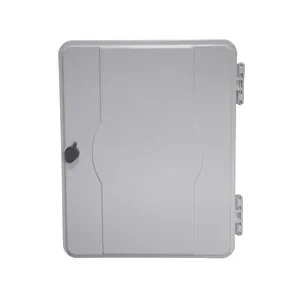
JFDB-96A — 96 Ports
ABS shell. For large apartment complexes and commercial campuses. Wall/pole mount.
View Product →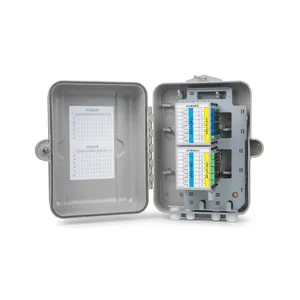
JFDB-64A — 64 Ports
SMC shell. IP65. Serves up to 64 end users with integrated PLC splitter slots.
View Product →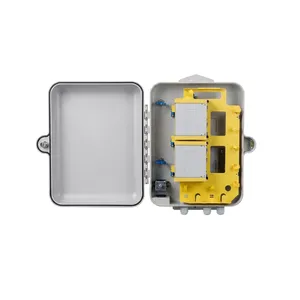
JFDB-32A — 32 Ports
SMC shell. Two-layer design. 20+ year lifespan. Our most popular size for medium deployments.
View Product →Related Articles
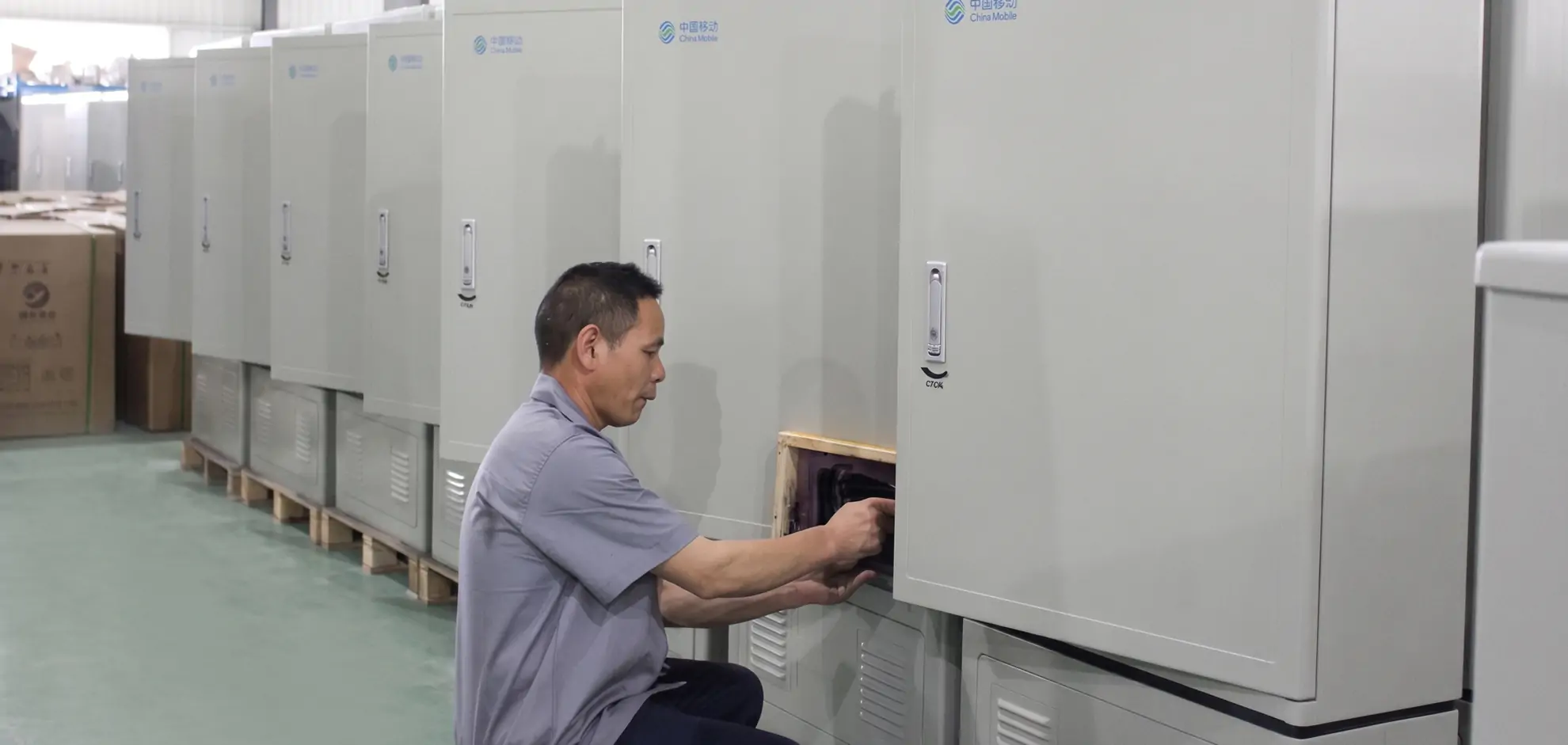
Fiber Distribution Cabinet Buying Guide
Capacity planning, material selection, and IP rating explained for FDC procurement.
Read Article →
Fiber Cabinet Materials: SMC vs Steel vs ABS
Weight, IP rating, UV resistance, and cost comparison for outdoor cabinet enclosure materials.
Read Article →
Fiber Optic Splitter Guide: PLC Types & Selection
How to choose the right splitter ratio and configuration for your FDB.
Read Article →References
Key takeaway
A fiber distribution box is the last piece of shared infrastructure before the network reaches individual subscribers. Getting the capacity, material, and sealing right at the planning stage prevents most of the expensive field problems that show up 1–3 years later. The box itself is not expensive — $15–80 depending on size and configuration. The truck roll to fix a bad installation is $200–500. Plan for the long term, not the minimum spec.
Related products