Why Your Fiber Internet Is Slow: Dirty Connectors Cause 90% of Problems
By Jergeo Engineering Team | Updated August 2026 · 10 min read
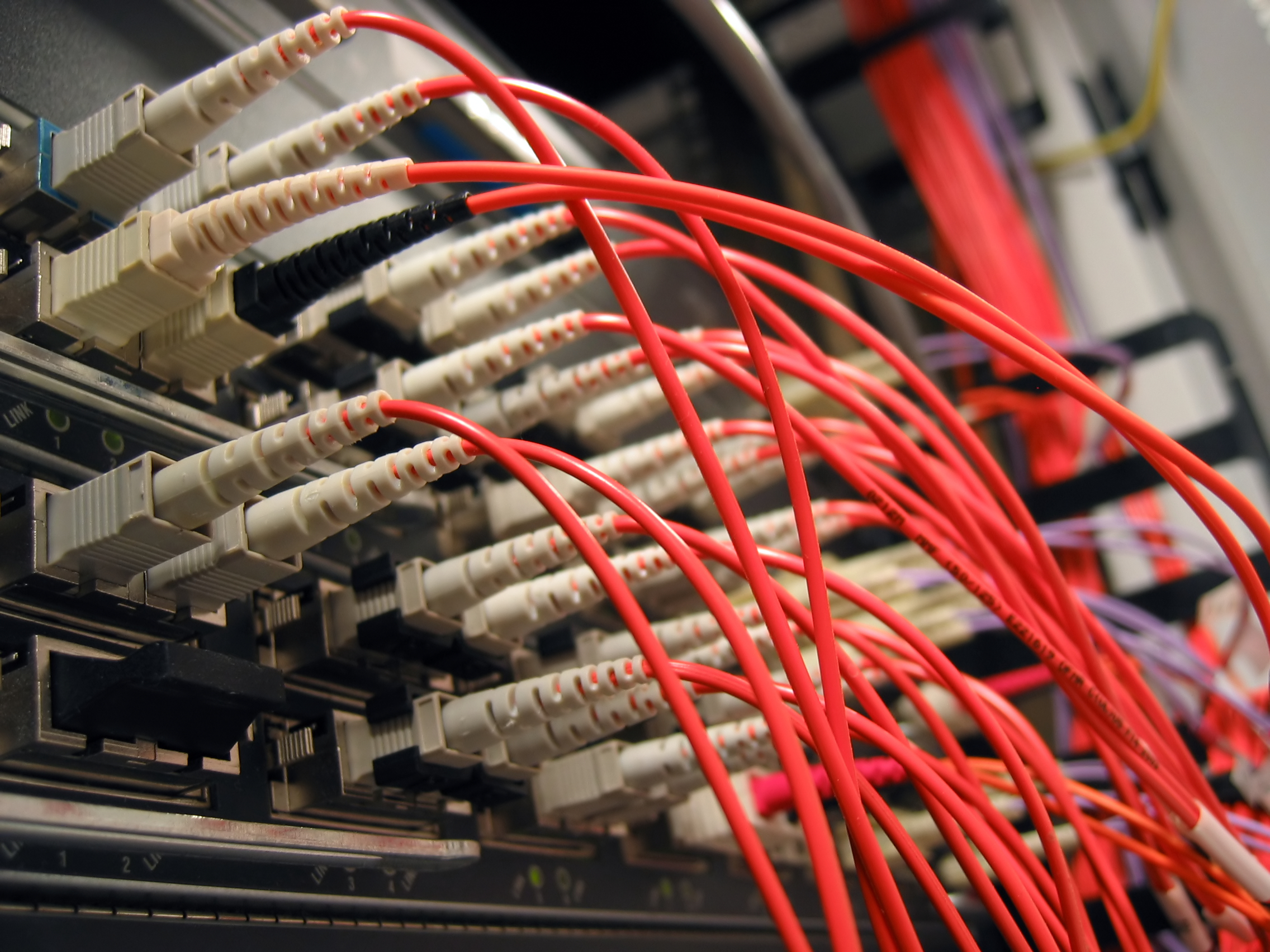
A customer calls. Their fiber internet is slow. They pay for 1 Gbps and get 50. The ISP sends a technician. Two hours later, the problem is fixed. The cause? A speck of dust on a connector the size of a grain of salt.
This happens every day. Across every continent. In every type of fiber network. According to the Fiber Optic Association, contaminated connectors account for roughly 40% of all fiber network failures — more than cable breaks, more than equipment faults, more than anything else. And when it comes to "my internet is slow" complaints specifically, dirty connectors are the culprit about 90% of the time.
Summary
Dirty fiber connectors cause 40% of all network failures and 90% of slow-speed complaints. A single contaminated connection point adds 0.5–5 dB of excess loss. The fix: inspect before every mating, clean with the right tools, use sealed enclosures (IP65+) at every outdoor termination point.
We've seen this pattern hundreds of times. A network works perfectly during commissioning. Six months later, complaints start rolling in. The technicians check the OLT — it's fine. They check the splitter — it's fine. They check the cable — no breaks. Then someone finally looks at the connector end face under a microscope, and there it is: a thin film of dust, or a fingerprint, or a tiny particle sitting right in the core zone. Clean it. Re-test. Problem gone.
This guide covers what actually contaminates fiber connectors, how to spot it, how to clean it properly, and more importantly, how to prevent it from happening in the first place.
How dirty connectors actually cause slow internet
When two fiber connectors mate, light passes from one ferrule end face to the other. In a clean connection, the cores align and light transmits with minimal loss — typically 0.1 to 0.3 dB for a good UPC connector. But when contamination sits between the two end faces, it blocks, scatters, or absorbs part of the light signal.
The result is insertion loss — signal power drops at the contaminated point. If the loss is small (say, 0.5 dB), the link might still work but at reduced margin. If the loss is large (3+ dB), the receiver can't decode the signal. That's when your ONT drops sync, your packets start failing, and your speed test shows a fraction of what you're paying for.
There's also back reflection. A clean UPC connector reflects about -50 dB of the optical signal back toward the source. A contaminated one can reflect -15 dB or worse. That reflected light interferes with the laser source, causing noise and bit errors. In GPON networks, this shows up as intermittent drops or throughput degradation that's maddeningly hard to diagnose without the right tools.
| Contamination Type | Typical Insertion Loss | Affected Connector Types | Reversible? |
|---|---|---|---|
| Dust particle on core | 0.5–2.0 dB | UPC, APC | Yes (cleaning) |
| Oil film (fingerprint) | 1.0–5.0 dB | UPC, APC | Yes (wet cleaning) |
| Scratch across core | 2.0–10+ dB | All | No (replace connector) |
| APC angular misalignment | 1.0–8.0 dB | APC only | Depends |
APC connectors (the green ones with 8° angled polish) are especially sensitive. The angle means any particle between the end faces prevents full surface contact. A 5-micron dust particle on an APC connector can cause the same loss that a 20-micron particle would cause on a flat UPC connector. This is one reason why PON networks — which use APC everywhere — are so sensitive to contamination.
Where contamination comes from
The most common sources, ranked by how often we see them in the field:
- Dust and airborne particles. The biggest offender. A connector sitting on a workbench without a dust cap collects particles within minutes. In dusty environments (construction sites, ceiling plenums, desert climates), contamination happens fast.
- Skin oil from fingerprints. A technician touches the ferrule end face — even briefly — and leaves a thin oil film. The film attracts dust, creating a compound contaminant that's harder to clean than dry dust alone.
- Manufacturing residue. Cheap connectors sometimes ship with residue on the end face from the polishing process. We've opened brand-new patch cords with visible streaks under a microscope. Always inspect new connectors before deployment.
- Network environment pollutants. In industrial areas or near construction, airborne chemicals, cement dust, or metal particles find their way into poorly sealed enclosures. We've opened outdoor boxes in coastal areas where salt corrosion had attacked the metal adapter sleeves inside.
- Moisture and condensation. When temperature swings cause condensation inside an enclosure, water droplets form on connector end faces. Over time, this leaves mineral deposits that require wet cleaning to remove.
The pattern is clear: contamination starts the moment a connector loses its dust cap. Every minute without protection matters. In controlled environments like a clean data center, the risk is lower. Outdoors, in an FTTH deployment with hundreds of access points exposed to weather and dust, it's a constant battle.
Inspection: how to check if a connector is dirty
You can't reliably see contamination with the naked eye. A fiber end face is about 125 micrometers in diameter. A contaminating particle might be 1-50 micrometers. So you need magnification.
Two tools work:
Pocket microscope (100x-400x) — The workhorse. Every field technician should carry one. A 200x scope costs $30-$80 and shows dust particles, film contamination, and scratches clearly. Look at the core zone first — that's the center 9-micron area for single-mode fiber. Any particle there is a problem. The IEC 61300-3-35 standard defines pass/fail criteria for different zones of the end face. Core zone contamination always fails.
Video inspection probe — More expensive ($200-$500), but easier to use. A small camera on the probe tip feeds to an LCD screen. No need to squint through an eyepiece. Better for documentation too — some models capture before/after images, which is useful when ISPs require proof of cleaning for each service call.
Our recommendation: if you run a network with more than 50 termination points, buy a video probe. The documentation capability alone saves time during audits. For smaller deployments or occasional use, a pocket microscope gets the job done.
Cleaning: what actually works
Not all cleaning methods are equal. Here's what we use, ranked by effectiveness in field conditions:
One-click cleaner (dry or wet/dry) — The fastest option for field use. Insert the connector, press, done. The mechanism rotates the ferrule against a cleaning element. Takes about 2 seconds. Wet/dry versions handle oil film better than dry-only models. Cost: about $15-$30 per cleaner, good for 300-500 cleaning cycles.
Pre-wetted wipes — Good for flat connectors (UPC). Less effective on APC connectors because the angled surface doesn't make full contact with the wipe. Also tricky for MPO connectors with multiple fibers.
Dry-wet-dry method with IPA and lint-free wipes — The classic. Wipe with 99% isopropyl alcohol on a lint-free wipe, then dry with a clean wipe. Works well when done correctly. The catch: you need 99% IPA, not 70%. Lower concentrations leave water residue that makes things worse.
What doesn't work well: compressed air (removes loose dust but not oil film), dry swabs alone (just smears contamination around), and blowing on the connector (your breath adds moisture and particles — yes, people still do this).
The most reliable process is the inspect-clean-inspect method, which the FOA recommends:
- Inspect the end face under magnification. Note the contamination type and location.
- Clean with the appropriate tool for that contamination type.
- Inspect again. If the end face passes IEC 61300-3-35 criteria, proceed to mate. If not, clean again or replace the connector.
Skipping step 3 is the most common mistake. You cleaned it, but did you actually clean it? Without the second inspection, you're guessing. And we've been called back to sites where a technician "cleaned" a connector and the problem persisted — because the cleaning tool was already dirty, or the contamination was a scratch rather than dust, or the adapter sleeve on the other side was also contaminated.
Prevention: stopping contamination before it starts
Cleaning fixes the symptom. Prevention fixes the problem.
Keep dust caps on until mating. This sounds obvious, but it's the single most neglected rule in fiber installation. We've watched installation crews leave connectors without caps for 10+ minutes while they route cables. In a dusty outdoor environment, that's enough to contaminate an end face beyond what a quick blow can fix.
Use sealed enclosures at every outdoor point. An optical termination box with an IP65 rating keeps dust and water out. The Jergeo JOTB-192A uses gel-sealed cable entries and a silicone gasket on the door. The connectors inside stay clean for months — sometimes years — without intervention. Compare that to an open-face wall plate in a dusty corridor, where connectors can degrade in weeks.
Use fiber distribution boxes with sealed cable entries. At the street-level distribution point, a sealed FDB like the JFDB-64A protects splitters and connectors from weather. The IP65 rating means the box handles rain, dust storms, and temperature swings without letting contaminants reach the connectors inside.
Maintain proper cable management. A tangled mess of patch cords in an ODF or patch panel makes connectors harder to access and more likely to get bumped, unplugged, and contaminated during maintenance. Neat routing with bend radius control reduces accidental contact.
Train installation teams on clean-connector protocol. A 30-minute session on inspect-clean-inspect protocol, proper handling technique (never touch the ferrule, always recap immediately), and how to use a one-click cleaner. This is the highest-ROI training any ISP can give its field teams.
Design considerations for contamination-prone environments
Some environments are harder than others. Here's what we've learned from deployments in challenging conditions:
Desert and arid climates: Fine sand particles get everywhere. Use IP67-rated enclosures where possible. Seal all cable entry points with gel-type seals rather than mechanical glands — sand finds gaps that mechanical seals leave. Schedule maintenance cleaning every 3 months instead of the usual 6-12 months.
Coastal and marine environments: Salt spray corrodes metal parts and leaves conductive deposits on connector end faces. Stainless steel enclosures outperform coated steel here. APC connectors are preferred because salt deposits cause less reflection damage on angled surfaces than on flat UPC faces. But prevention is still better — sealed enclosures with silica gel desiccant packs inside keep humidity below the corrosion threshold.
Industrial zones: Chemical vapors, metal dust, and vibration. Use industrial-grade enclosures with higher IP ratings. Consider using pigtails that are factory-terminated and polished — field termination in contaminated environments rarely achieves factory quality. And add vibration dampening to rack-mounted ODFs if heavy machinery runs nearby.
Cold climates: Temperature swings cause condensation when warm air enters a cold enclosure. The fix is simple but often overlooked: let the enclosure acclimate to ambient temperature before opening it for maintenance. Opening a cold box in warm, humid air causes immediate condensation on every surface inside — including connector end faces.
How Jergeo products address connector contamination
We designed our outdoor enclosures with contamination prevention as a core requirement. Not an afterthought — a design driver. Here's how the specs translate to real-world protection:
| Feature | JOTB-192A (OTB) | JFDB-64A (FDB) | JFDC-288A (FDC) |
|---|---|---|---|
| IP Rating | IP65 | IP65 | IP65 |
| Dust caps on all connectors | Factory installed | Factory installed | Factory installed |
| Cable entry sealing | Gel-sealed | Heat-shrink boots | Wormgear clamps |
| Working temperature | -40°C to +60°C | -40°C to +60°C | -45°C to +80°C |
| Splice tray organization | Removable trays | Stackable trays | Drawer-type trays |
The drawer-type tray design in the JFDC-288A is worth mentioning. When a technician opens the cabinet, each tray slides out independently. This means they can access one splice or connector without disturbing the others. Less disturbance means less chance of accidentally touching a connector end face or knocking a dust cap off. Small design detail, but it matters in a 288-port cabinet where 50+ connectors sit within arm's reach.
Related Products
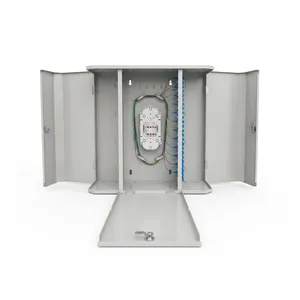
JOTB-192A Outdoor Fiber Termination Box
192 ports, IP65 sealed enclosure with gel-sealed cable entries for FTTH last-mile deployments
View Product →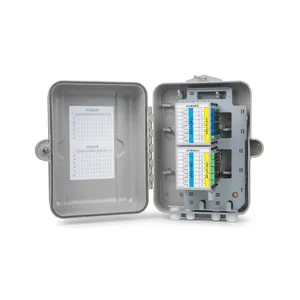
JFDB-64A Fiber Distribution Box
64-port outdoor distribution box with PLC splitter compartment for FTTH access networks
View Product →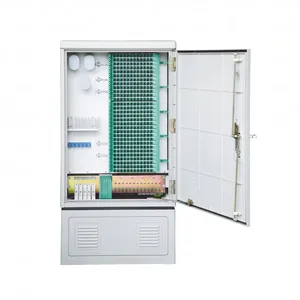
JFDC-288A Fiber Distribution Cabinet
288-port SMC outdoor cabinet with drawer-type trays for FTTH distribution point protection
View Product →Related Articles

References
- FOA Guide to Fiber Optic Contamination — The Fiber Optic Association reference on connector contamination causes and prevention
- IEC 61300-3-35 — Fiber optic interconnecting devices — Examination and measurement procedures — Visual inspection of ferrule end faces
- IEEE Communications Surveys — PON reliability studies and failure mode analysis in FTTH access networks
Key Takeaway
Dirty connectors cause the majority of fiber network performance problems — not cable faults, not equipment failures, just contamination on a tiny glass surface. The fix is straightforward: use sealed enclosures at every outdoor point, follow inspect-clean-inspect protocol for every connection event, and train your team that a dust cap is not optional. Most contamination problems are preventable. The ones that aren't are at least catchable before they cause customer-facing outages.
Related products